Autodesk Inventor Configuration
Access Inventor configuration settings via Tools > Application Options to customize workflows across all modules.
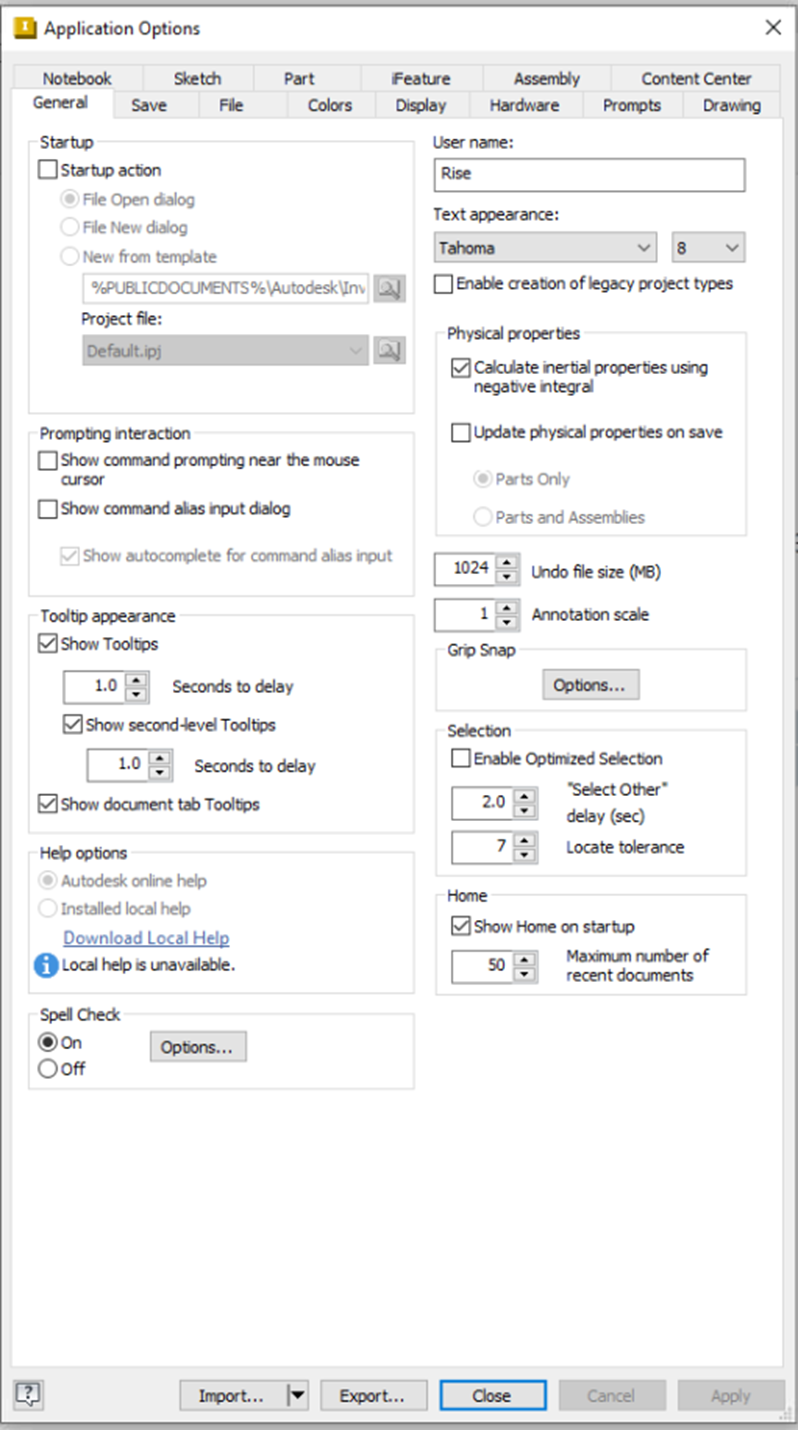
General Tab
- Customize startup, prompting interaction, tooltip appearance, and help options.
- Configure spell check, user name, text appearance, and legacy project creation.
- Adjust physical properties, undo file size, annotation scale, grip snap, selection, home, import, and export options.
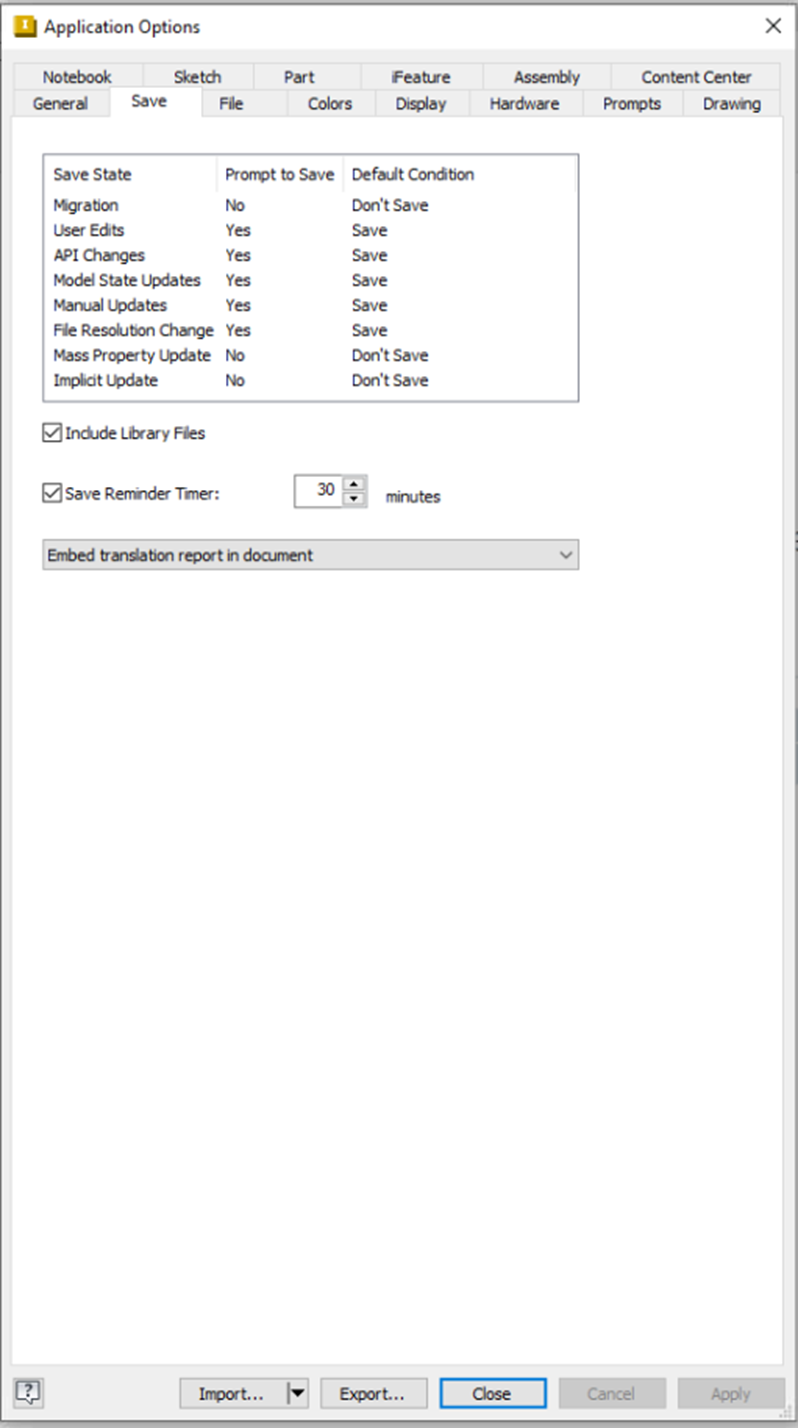
Save Tab
- Set save state reminders, auto-save intervals, and include library files options.
- Configure save reminder timer frequency.
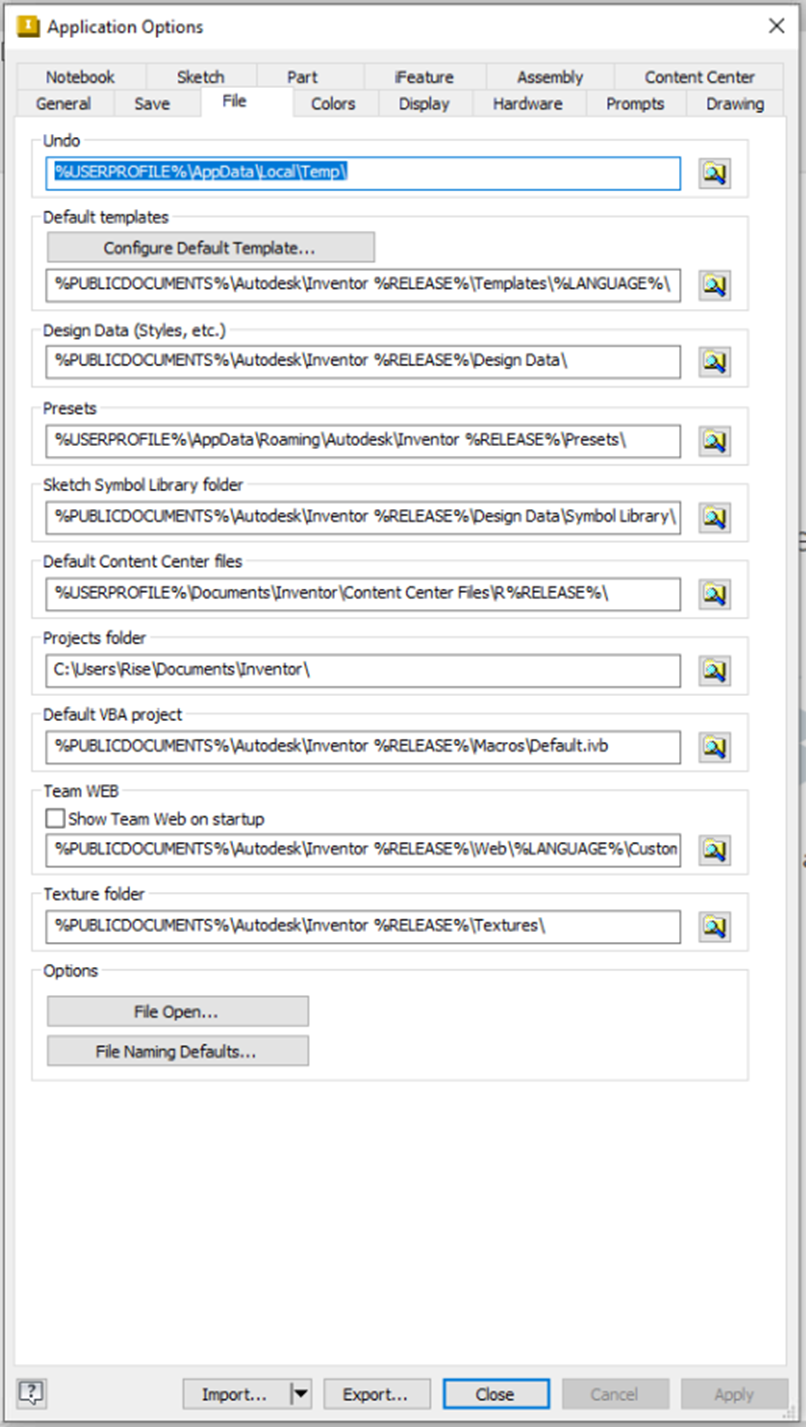
File Tab
- Manage undo options, default templates, design data, and presets.
- Set sketch symbol library, content center files, project folders, VBA projects, team web, texture folders, and file naming defaults.
- Customize file open options.
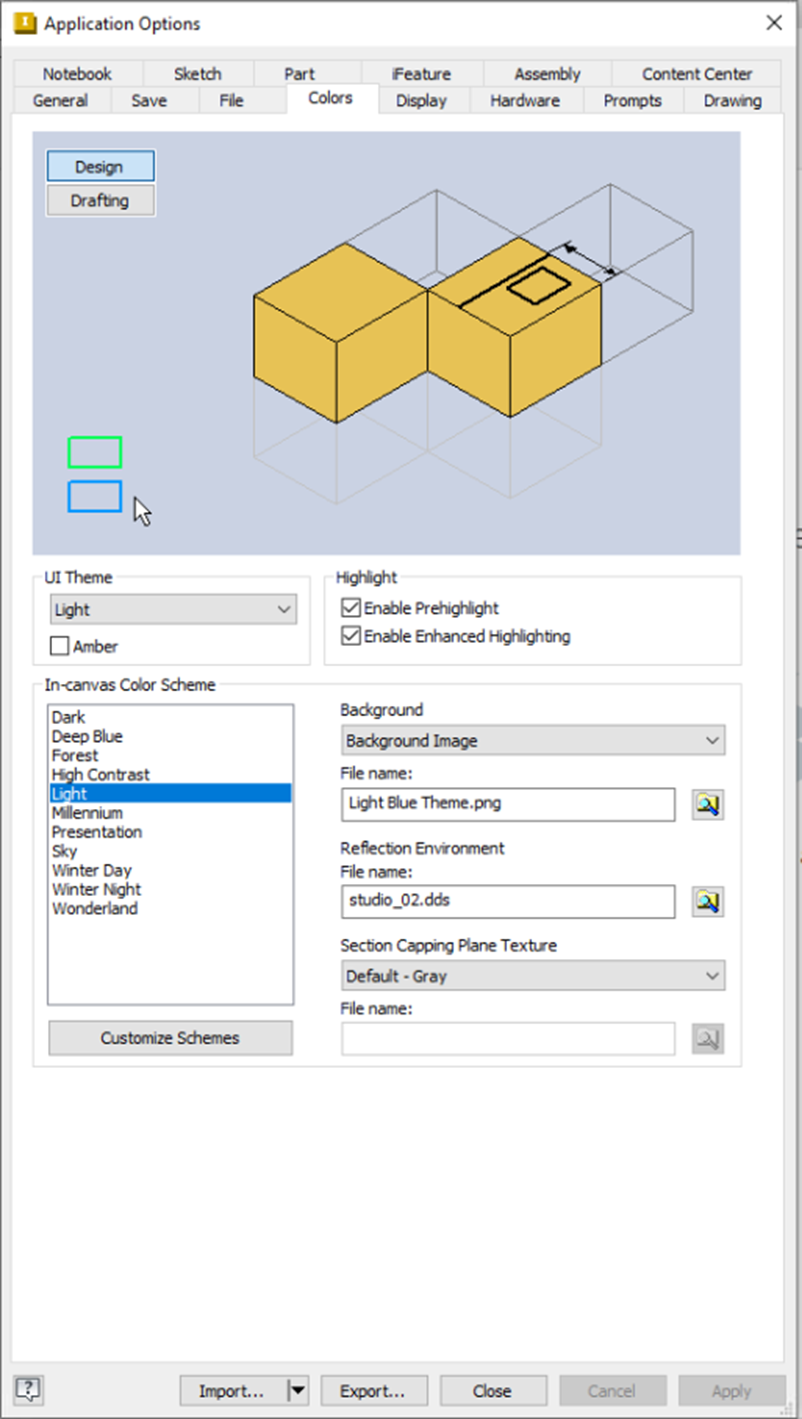
Colors Tab
- Customize design, drafting standards, UI theme, in-canvas color schemes, and highlight colors.
- Adjust background, file name display, and reflection environment settings.
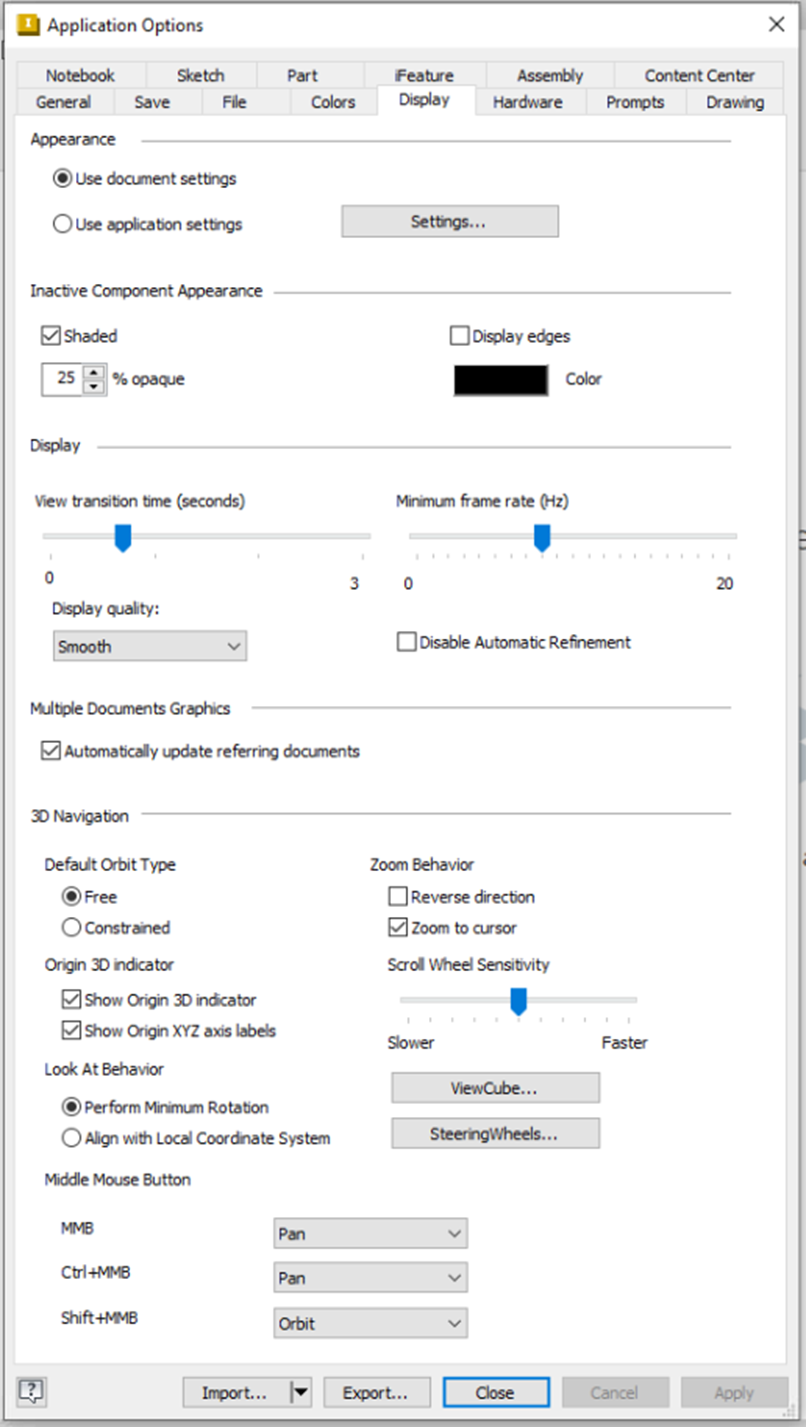
Display Tab
- Configure appearance, inactive component display, and general display options.
- Set multiple documents graphics and 3D navigation preferences.
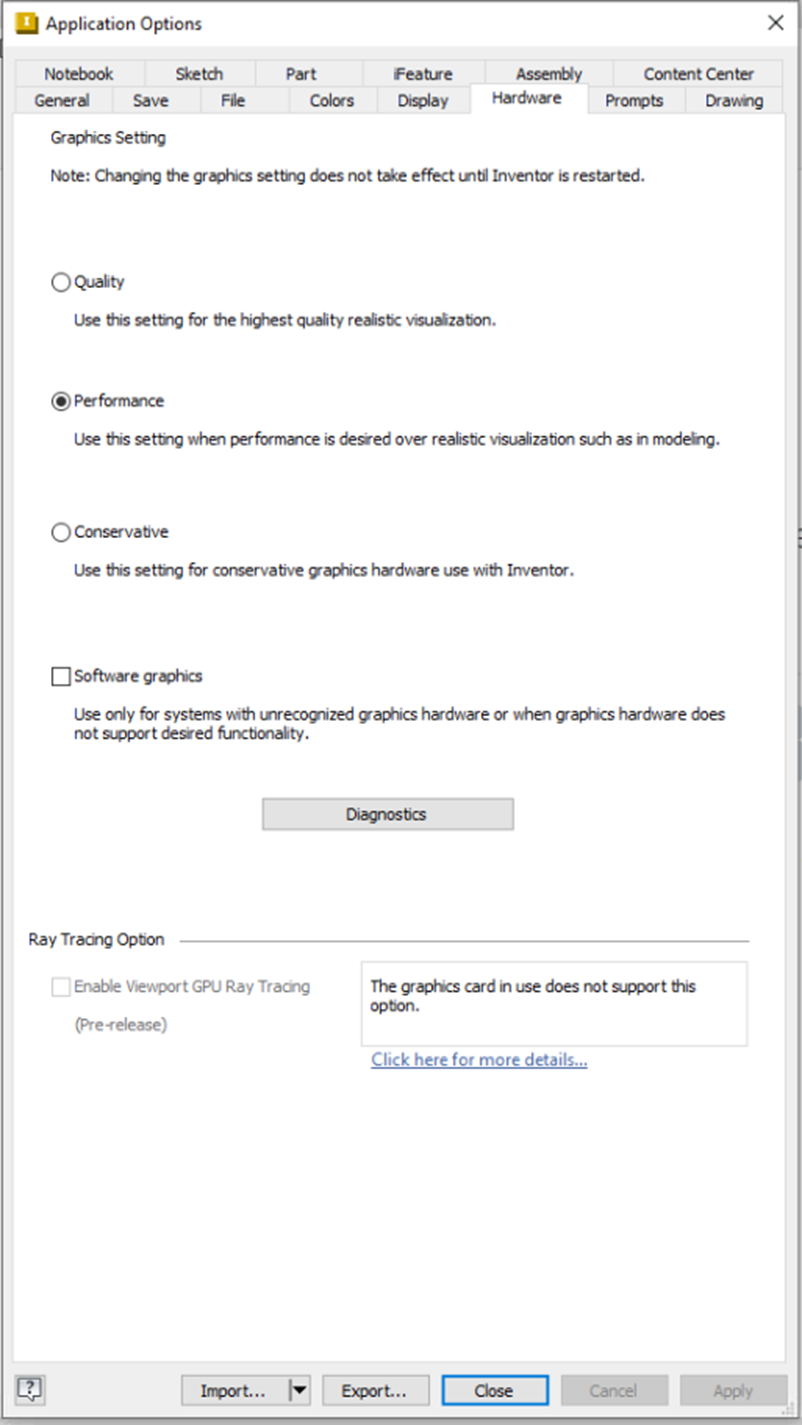
Hardware Tab
- Optimize graphics settings, quality, performance, and conservation modes.
- Enable software graphics fallback and ray tracing options.
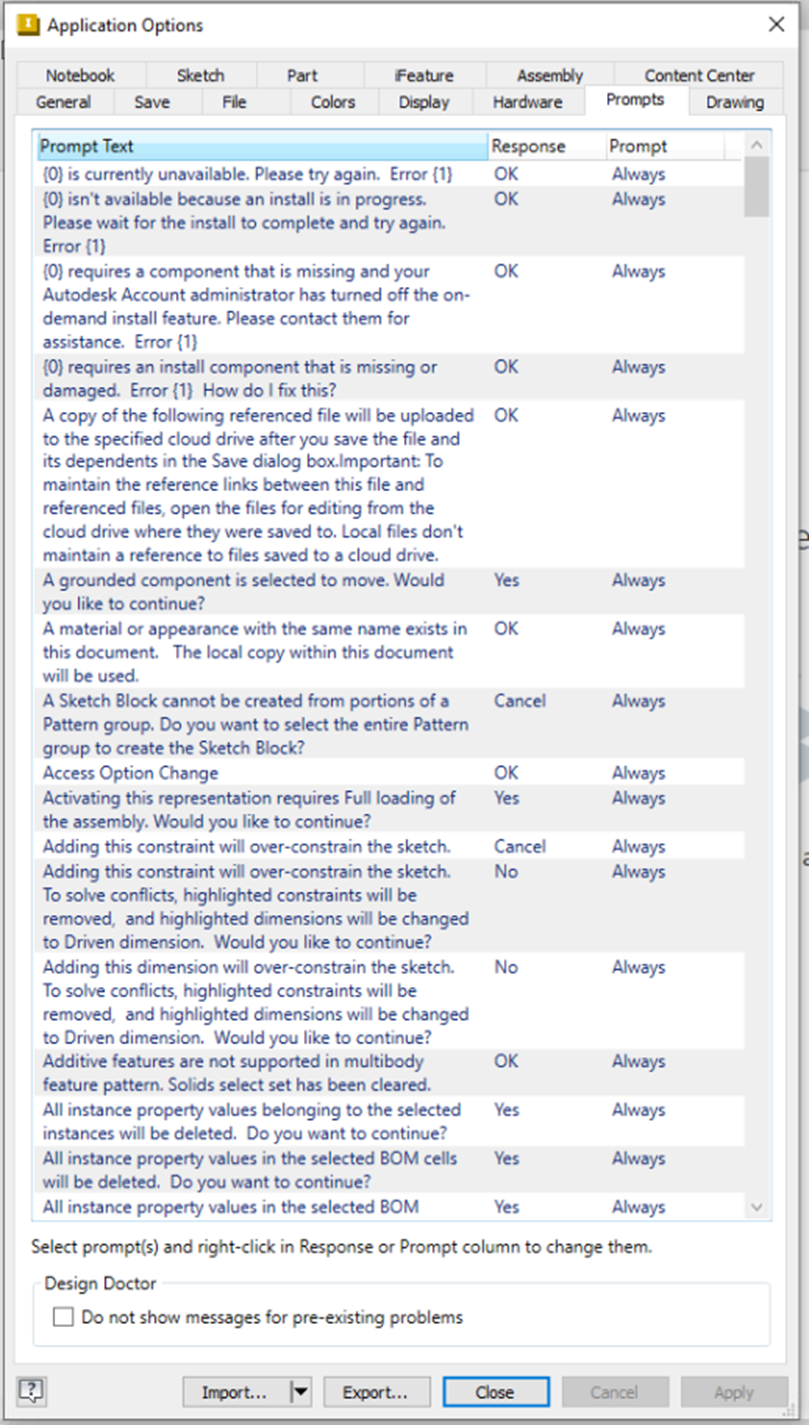
Prompts Tab
- Customize prompt text display and Design Doctor diagnostic settings.
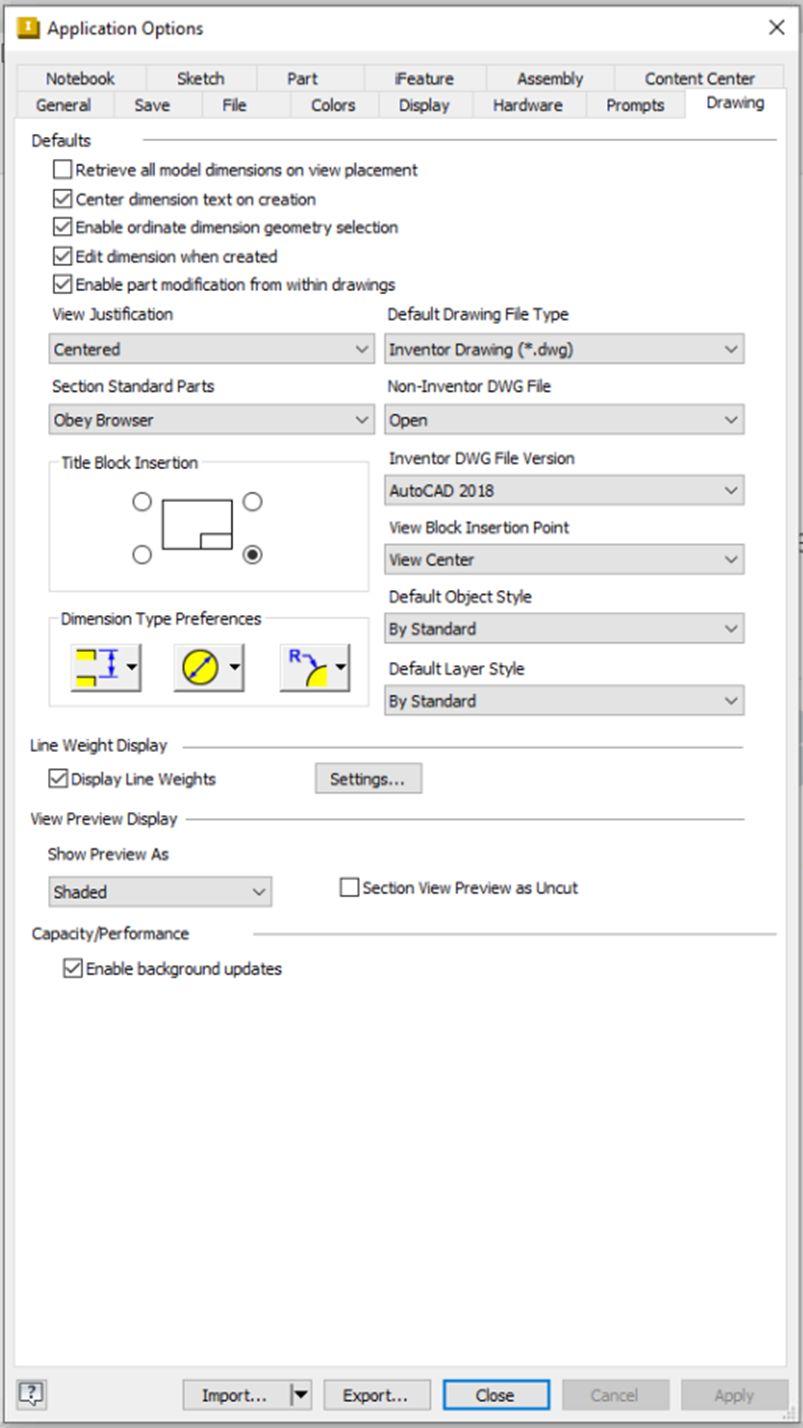
Drawing Tab
- Set drawing defaults, centered views, browser obedience, line weight display, and view preview options.
- Configure capacity monitor, default file types, DWG compatibility, view block insertion, object/layer styles, and section view previews.
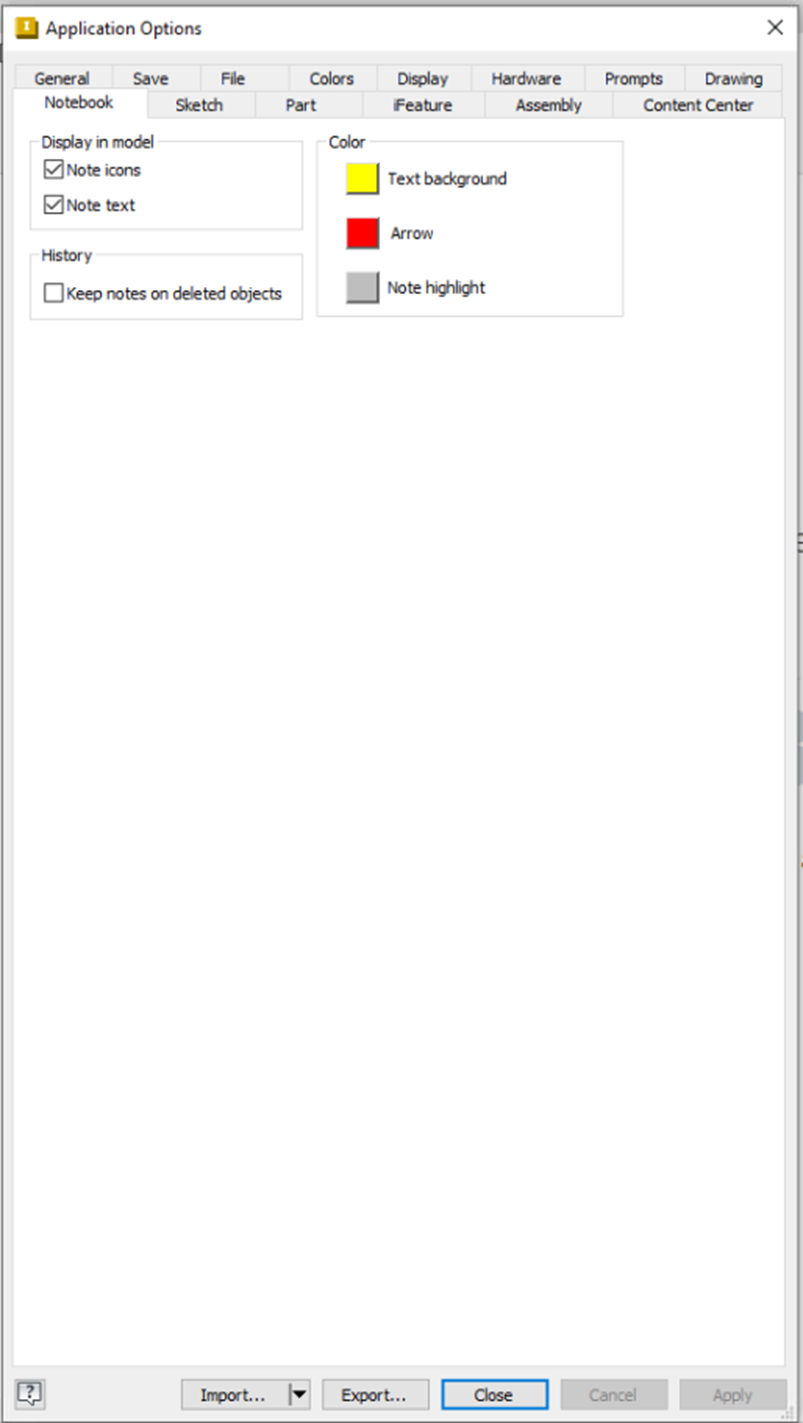
Notebook Tab
- Customize display model browser and history visibility options.
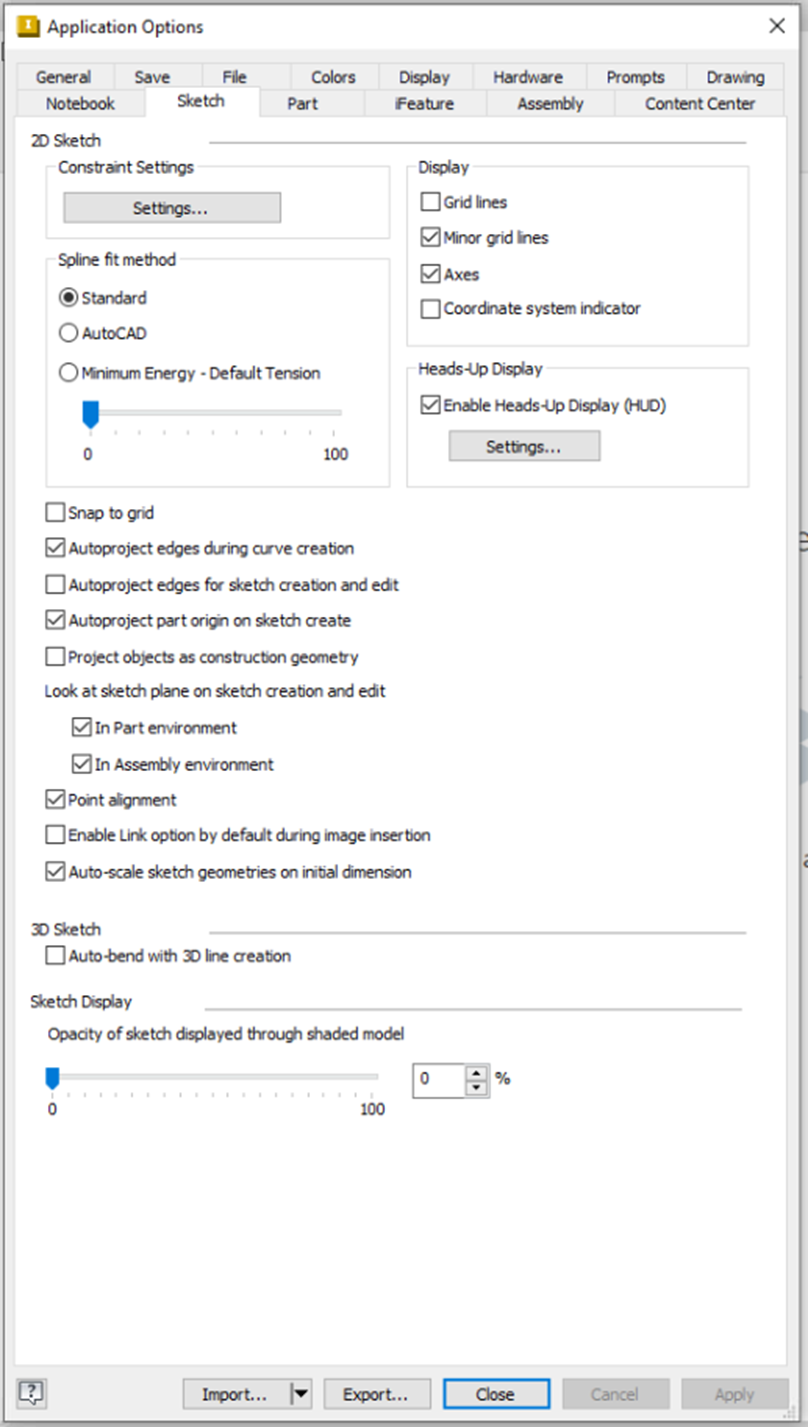
Sketch Tab
- Configure constraint settings, display options, spline fit methods, heads-up display, grid snapping.
- Enable auto-project edges, part origin projection, construction geometry, point alignment, linked images, auto-scaling, 3D sketch, and sketch display preferences.
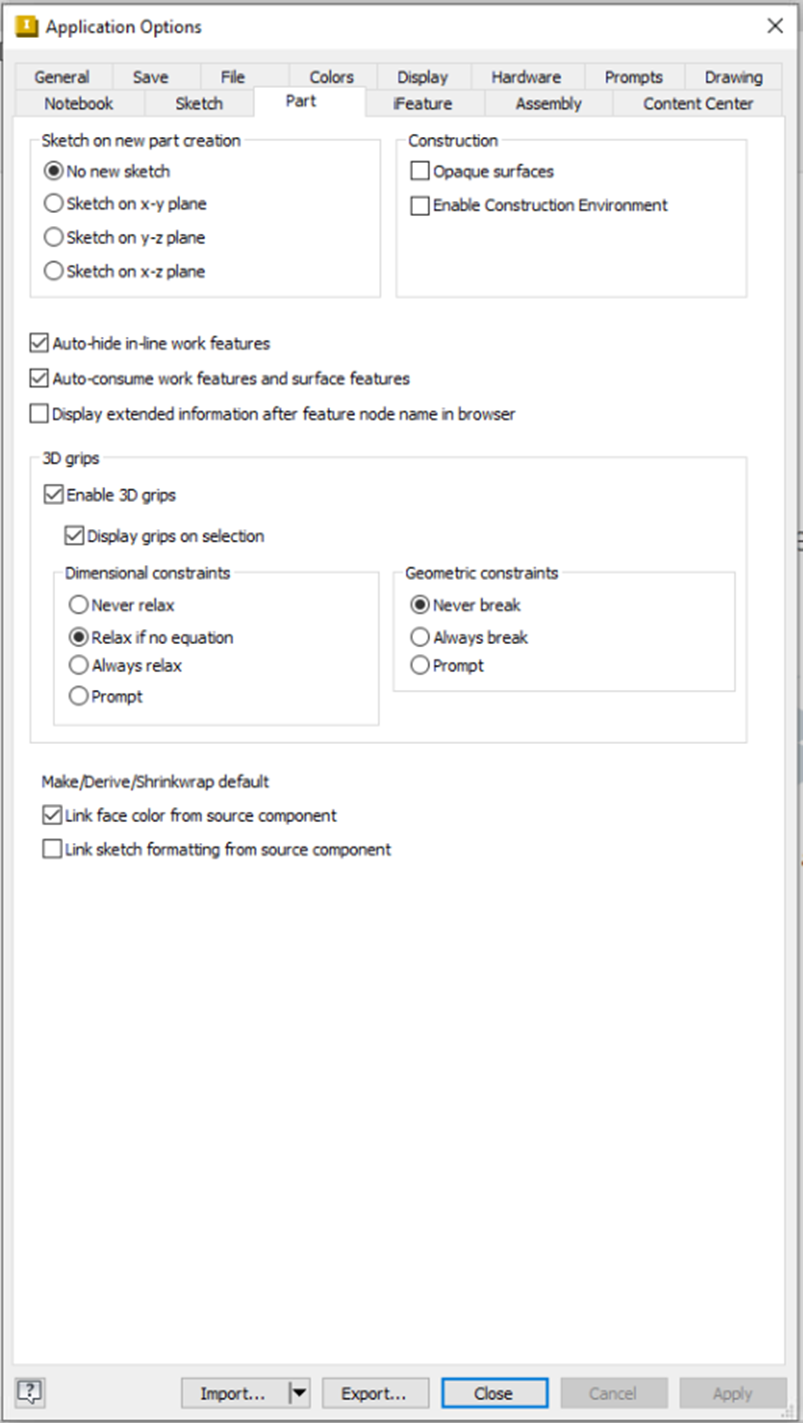
Part Tab
- Set sketch creation on new part, construction features, auto-hide inline work, work/surface features, 3D grips, dimensional/geometric constraints, and make/derive defaults.
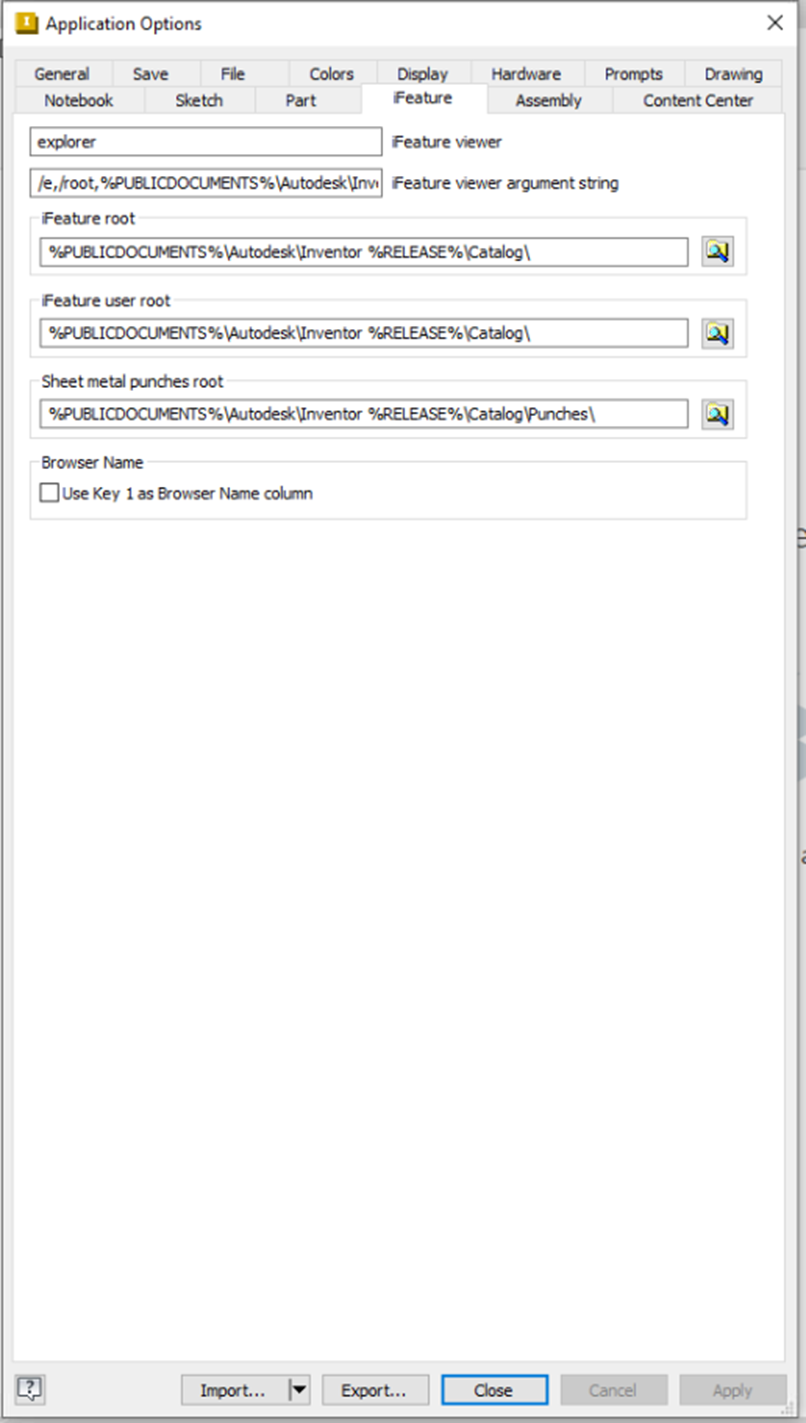
iFeature Tab
- Configure iFeature viewer, argument strings, root folders, user roots, sheet metal punches, and browser naming.
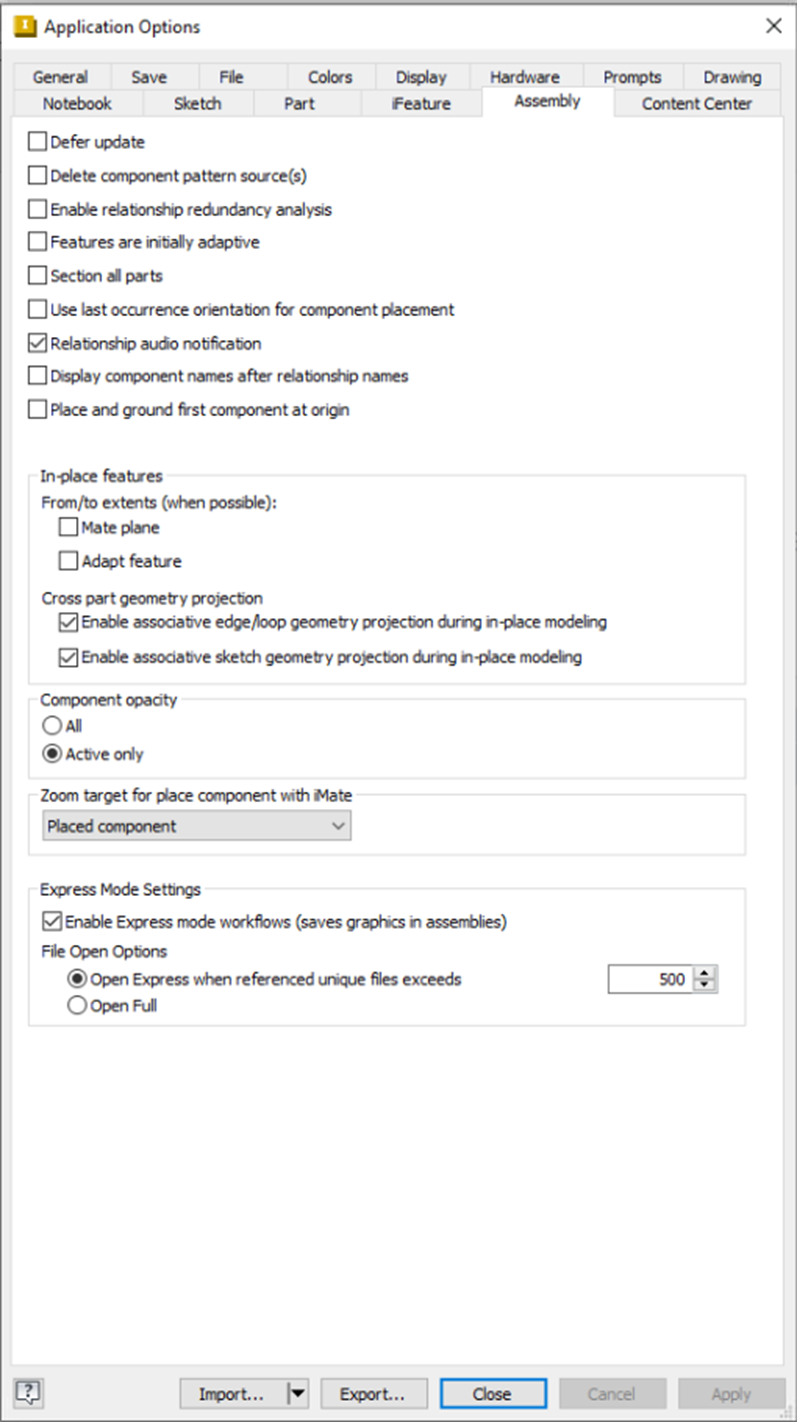
Assembly Tab
- Manage defer updates, component pattern deletion, relationship redundancy analysis, adaptive features, section analysis, component placement, audio notifications, origin grounding, in-place features, cross-part projections, opacity, zoom targets, express mode, file open, and zoom settings.
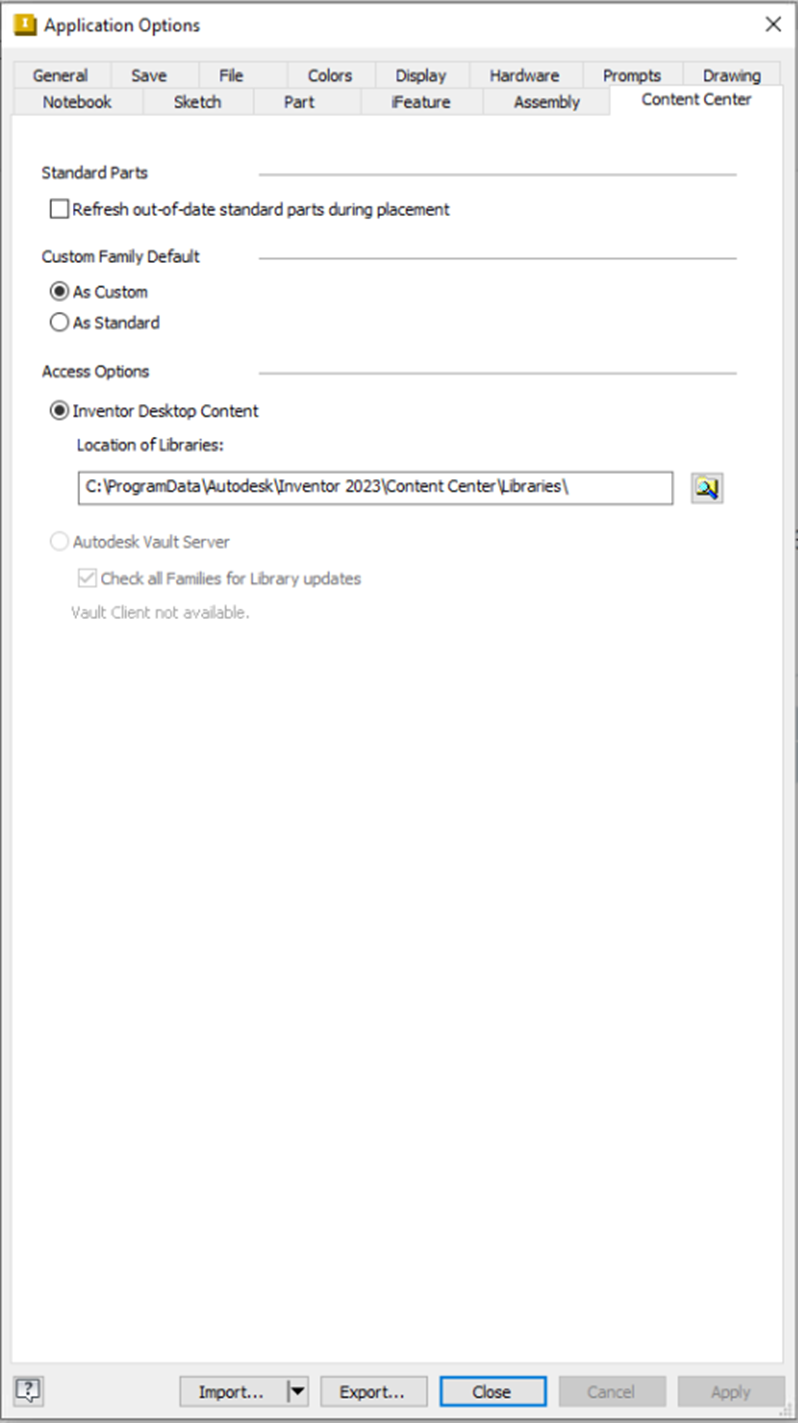
Content Center Tab
- Customize standard parts, custom family defaults, access permissions, and disable Autodesk Vault server integration.
Quick Access Reference
| Tab | Primary Use Case |
|---|---|
| General | User interface & interaction |
| Save | Auto-save & backup settings |
| File | Templates & file management |
| Colors | Visual themes & appearance |
| Hardware | GPU/performance optimization |
| Sketch | 2D sketching behavior |
| Assembly | Large assembly performance |