Connector License
ConnectorLicense
A Connector License allows the use of connectors or adapters to integrate software applications, databases, and systems. Connectors are commonly used in enterprise environments to enable communication and data exchange between different platforms or services.
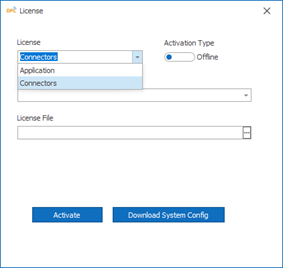
Steps to Activate the Connector License:Offline License Activation
Use this method when the system does not have internet access.
-
In DPL Studio, click the Account icon in the top-right corner, select Profile, and then click License Activation.
-
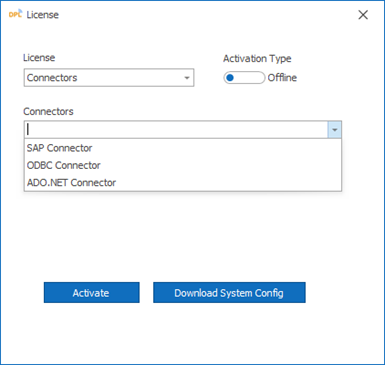
Select the required Connector from the drop-down list.
-
Download the System Configuration File.
Use This method when the system has internet access
-
In DPL Studio, click the Account icon in the top-right corner, select Profile, and then click License Activation
-
After purchasing the product, the License Access Key will be sent to your registered email address.
-
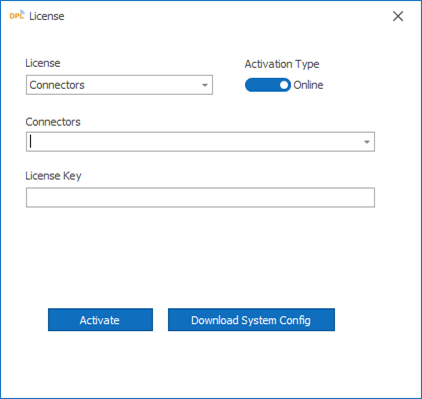
Select the required Connector from the drop-down list.
-
Select Activation Type as Online.
-
Copy and paste the License Access Key into the input field.
-
Click the Activate button to complete online activation

Copyright © 2002-2026 by Rise Inc., All Rights Reserved.