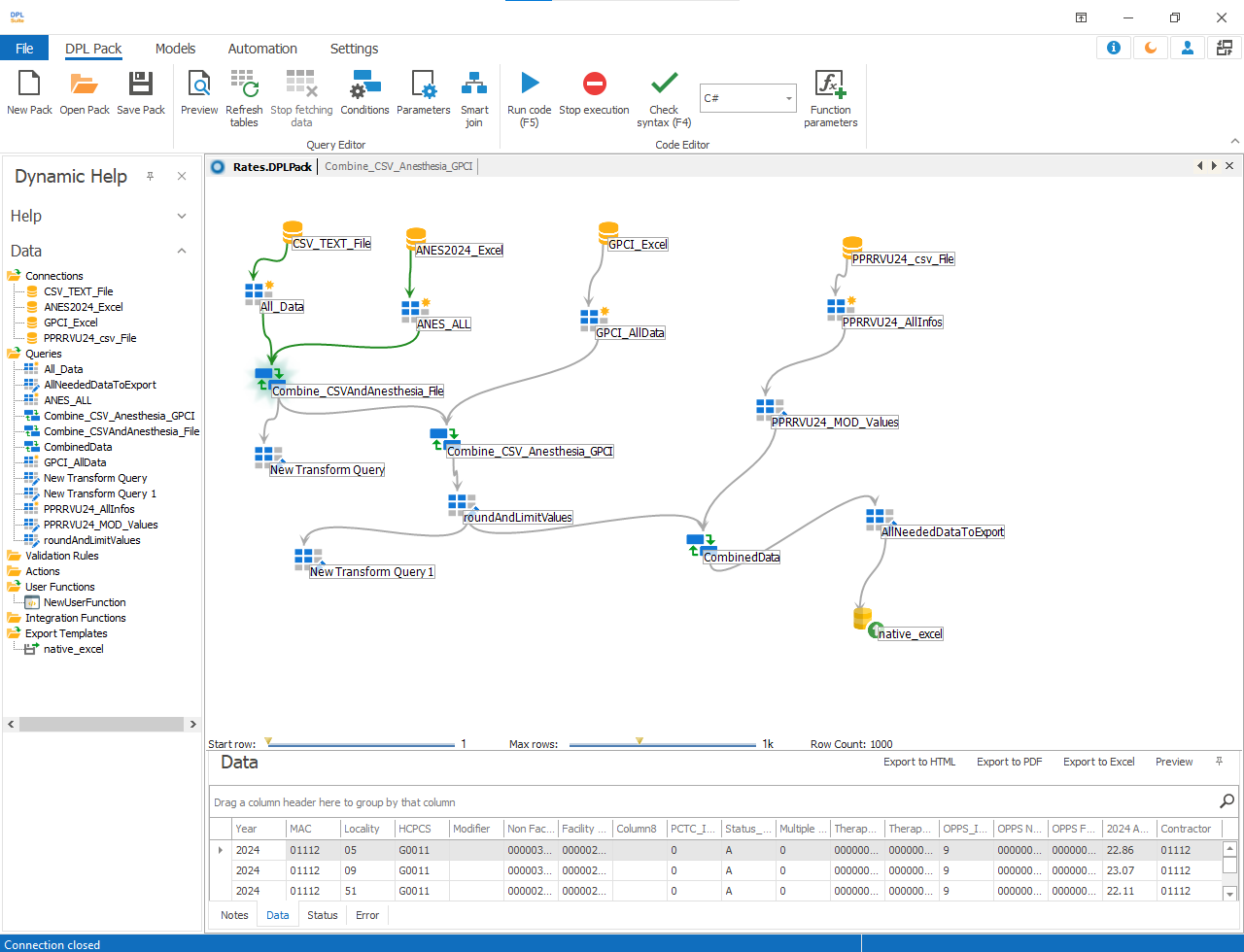
Creating Aggregate Queries
DPL Studio ›› Data Selection: Queries>>Aggregate Queries>>
Creating an Aggregate Query
Create a New Aggregate Query
- Navigate to the Models menu.
- Select New Aggregate Query.
Add Tables or Queries
- Drag and drop the required tables or queries into the workflow canvas.
- Select the required fields from each source.
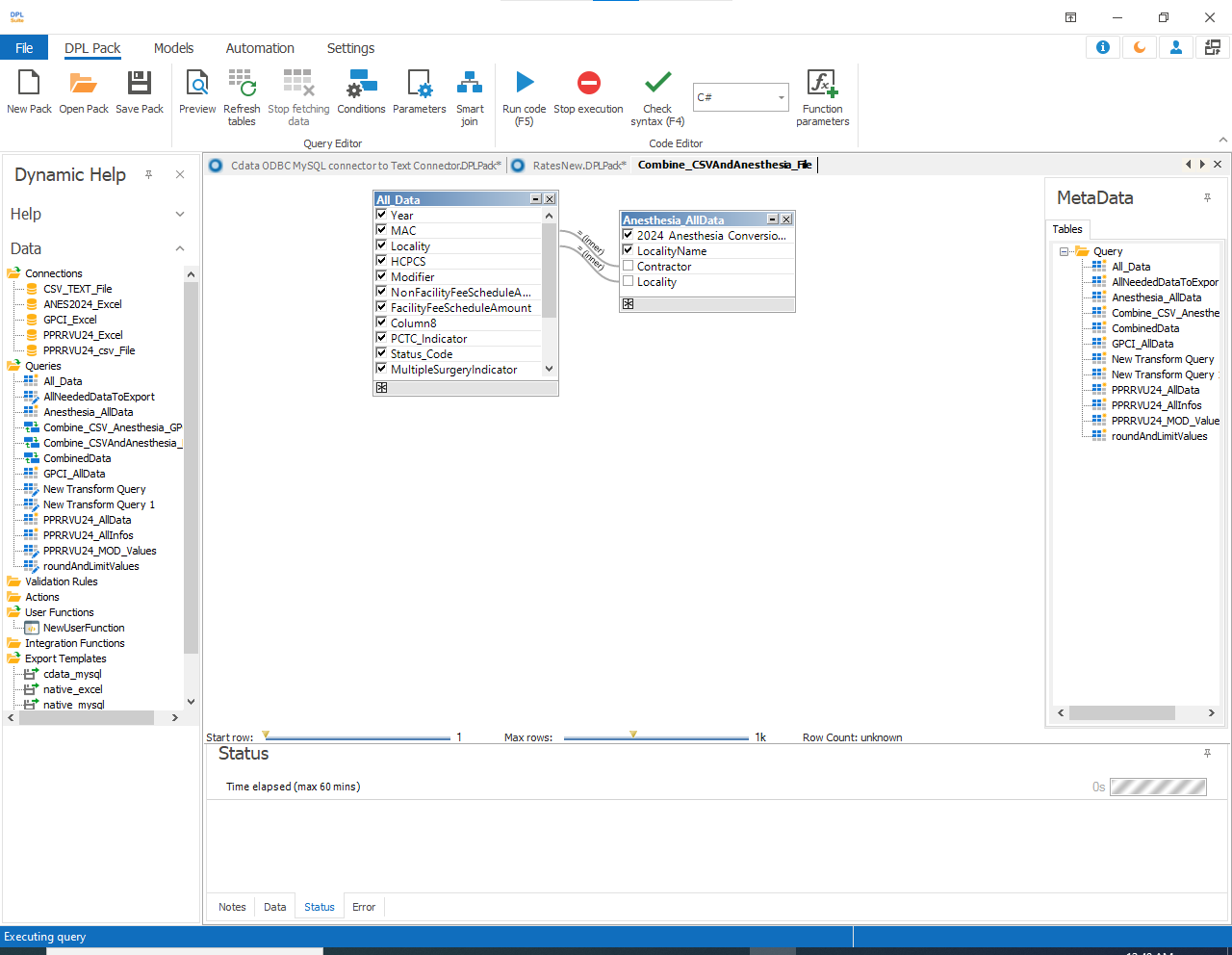
Configure Joins
Define the relationship between the selected tables using:
- Join Types
- Join Conditions
- Join Relations
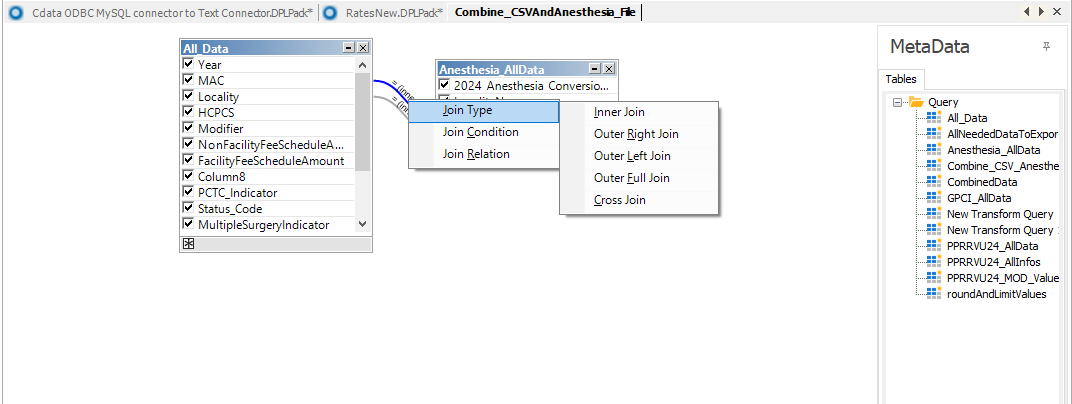
Join Types
The Join Type determines how records from two tables are combined.
- Inner Join - Displays only matching records from both tables.
Example : If matching values exist in both tables, the corresponding records will be displayed.
- Left Outer Join
Displays:
a. All records from the left table
b. Matching records from the right table
If no matching record exists in the right table, NULL values will be displayed.
- Right Outer Join
Displays:
a. All records from the right table
b. Matching records from the left table
If no matching record exists in the left table, NULL values will be displayed.
-
Full Outer Join
a. Displays all records from both tables.
b. Non-matching rows will contain NULL values on the opposite side.
-
Cross Join
a. Combines every row from the left table with every row from the right table.
Note:
Cross Joins may generate very large datasets (Cartesian Product).
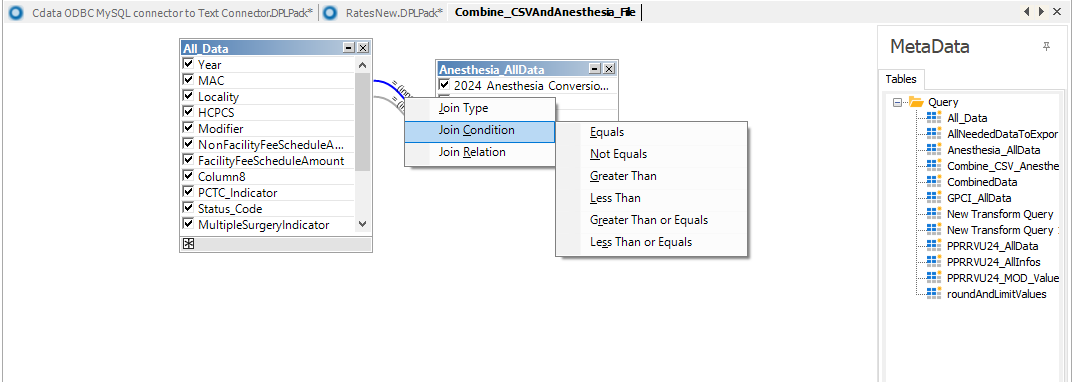
Join Conditions
Join Conditions define how columns from two tables are compared.
Available Join Conditions
- Equals (=) : Matches records with equal values
- Not Equals (<>) : Matches records with different values
- Greater Than (>) : Left value is greater than right value
- Less Than (<) : Left value is less than right value
- Greater Than or Equal To (>=) : Left value is greater than or equal to right value
- Less Than or Equal To (<=) : Left value is less than or equal to right value
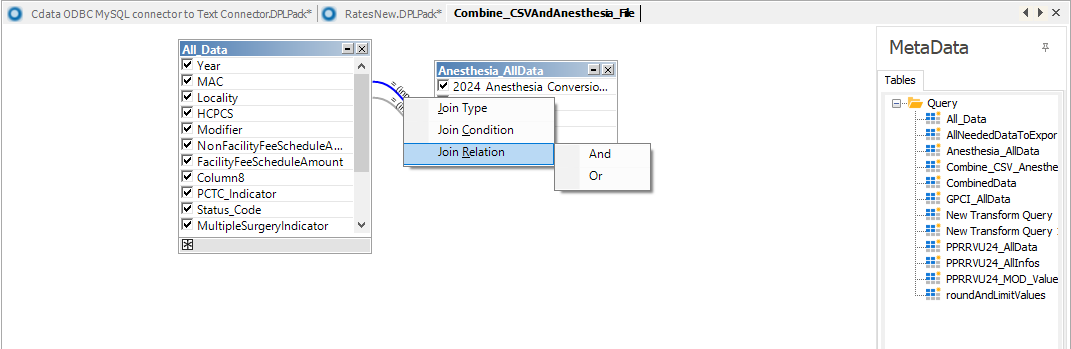
Join Relations
Join Relations define how multiple join conditions are combined.
-
AND Relation : All conditions must be true for the record to be included.
-
OR Relation : At least one condition must be true for the record to be included.
Finalizing the Aggregate Query
-
Review all join configurations.
-
Click Preview to validate the combined dataset.
3.Save the query after verification.