Licensing
Adobe Captivate License
Step 1: Visit the Official Adobe Captivate Page
- Go to Adobe Captivates official site.
Step 2: Choose Your Plan
-
Scroll down to the "Buy Now" or "Plans & Pricing" section.
-
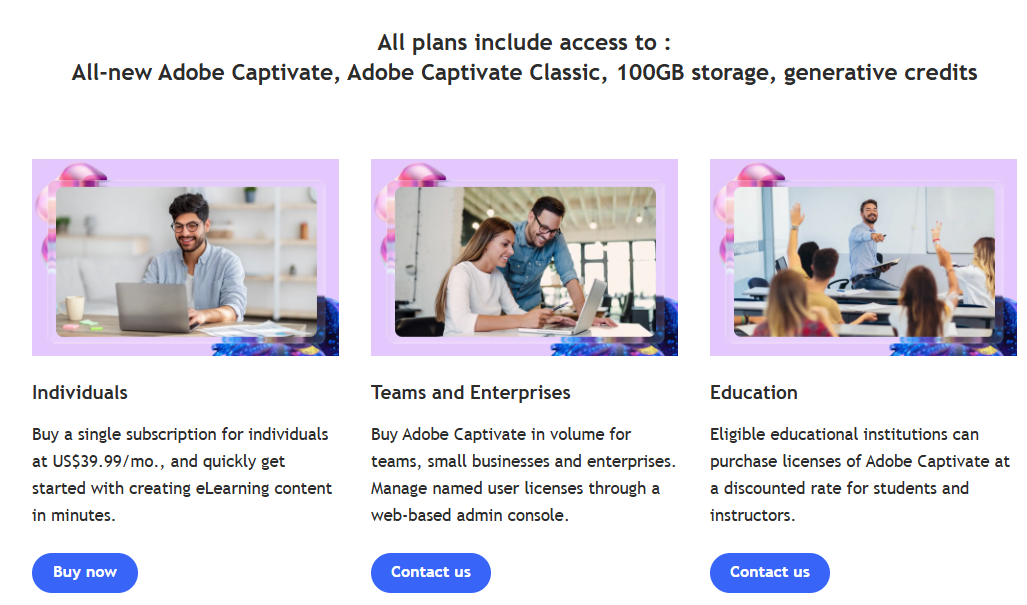
You'll see options like:
-
Individual Plan (monthly subscription)
-
Team/Enterprise Plan
-
Education Plan
-
Step 3: Click "Buy Now" or "Subscribe"
-
For the Individual Plan, click "Buy Now" under the monthly subscription.
-
For Team/Enterprise, click "Contact Sales" to get a quote.
-
For Education, click "Buy" and verify your academic eligibility.
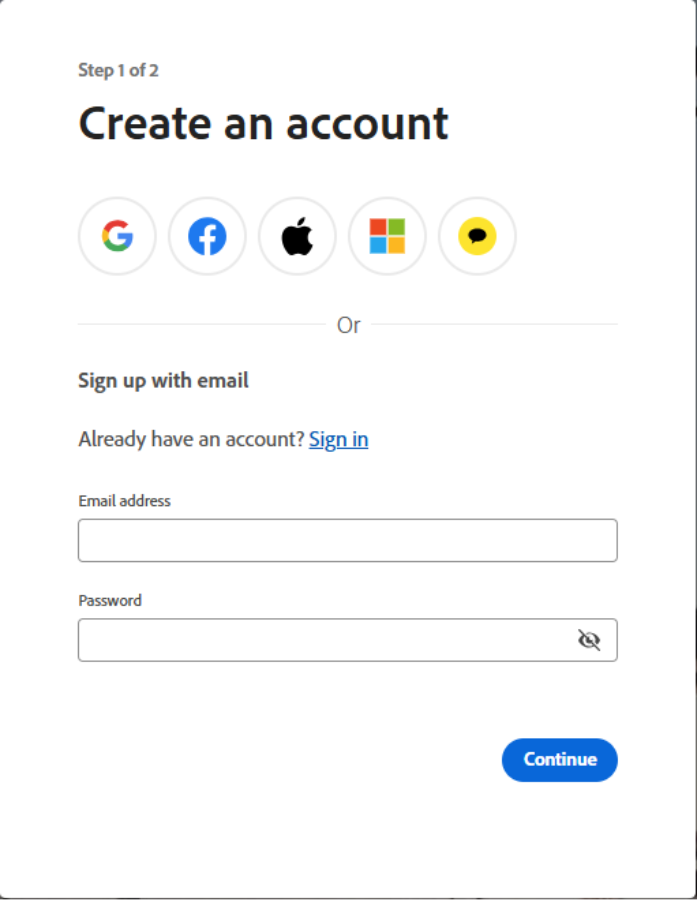
Step 4: Sign In or Create an Adobe Account
-
You'll be prompted to sign in with your Adobe ID.
-
If you don't have one, click "Create Account" and fill in your details.
Step 5: Enter Payment Information
-
Choose your payment method (credit/debit card or PayPal).
-
Enter billing details and confirm your subscription.
Step 6: Download Adobe Captivate
-
After purchase, go to your Adobe account dashboard.
-
Download the latest version of Adobe Captivate (you'll get both the new and classic versions).
Step 7: Activate Your License
-
Open Adobe Captivate and sign in with your Adobe ID.
-
Your subscription will be automatically activated.