Adobe Captivate Monitoring
-
Previewing Projects
-
Before publishing your project, preview it to ensure everything looks and functions correctly. In Adobe Captivate Classic:
- Open the project you want to preview.
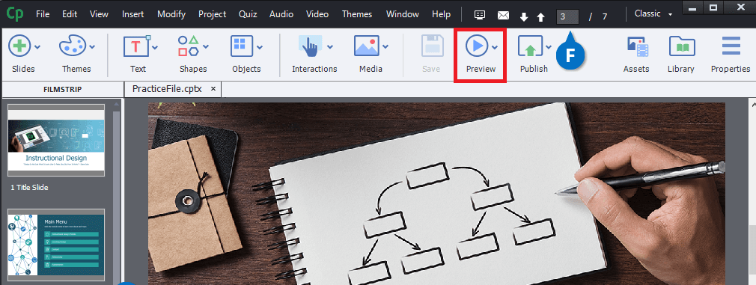
- In the main toolbar, click the preview icon and select an option (e.g., "Play This Slide") to review your project.
- Open the project you want to preview.
-
-
Integration with Learning Management Systems (LMS)
-
Adobe Captivate Classic allows you to upload eLearning content to an LMS for distribution and tracking. Steps:
- Configure LMS Settings: Specify LMS-related settings such as AICC or xAPI-based LMS, reporting status (Incomplete/Complete), and completion criteria.
- Upload to LMS: Export your Adobe Captivate Classic project and upload it to your LMS for learners to access.
-
-
Recording Video Demonstrations
-
Creating effective video demos is crucial for monitoring content and learner experience. Adobe Captivate Classic provides:
- Automatic recording (recommended) or manual recording modes.
- Capture on-screen actions, mouse movements, system audio, and more.
-