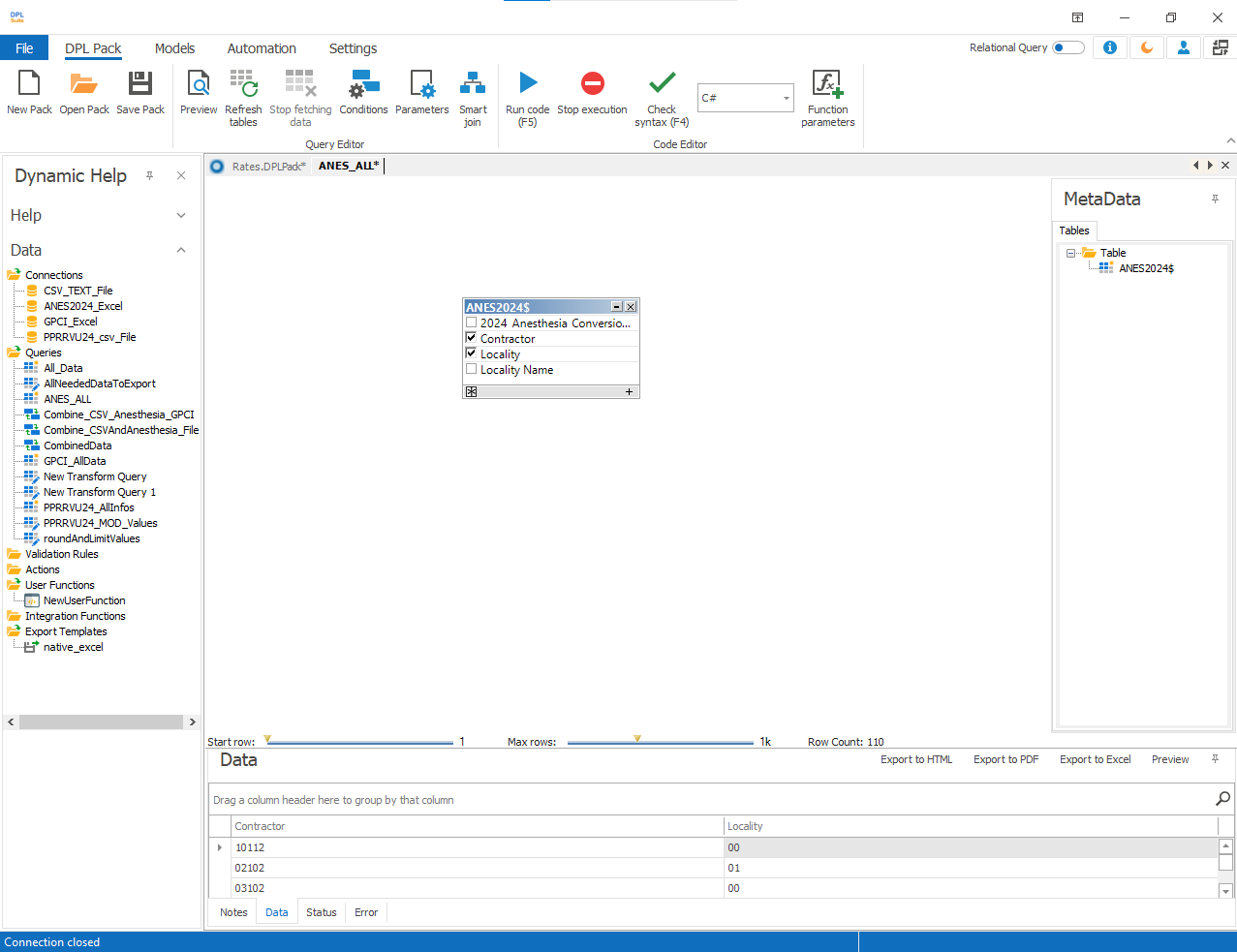
Associate Data Models
Using the Associate Data Model option on any connection node, you can create relational standard queries and retrieve data from data models related to the selected connection.
To Associate a Data Model
1.Create a data connection. Create a standard query using the connection and save it. 2.Create a data model for the standard query in the required directory and save the DPL package. 3.Close the DPL package and reopen it. 4.To associate the data model:
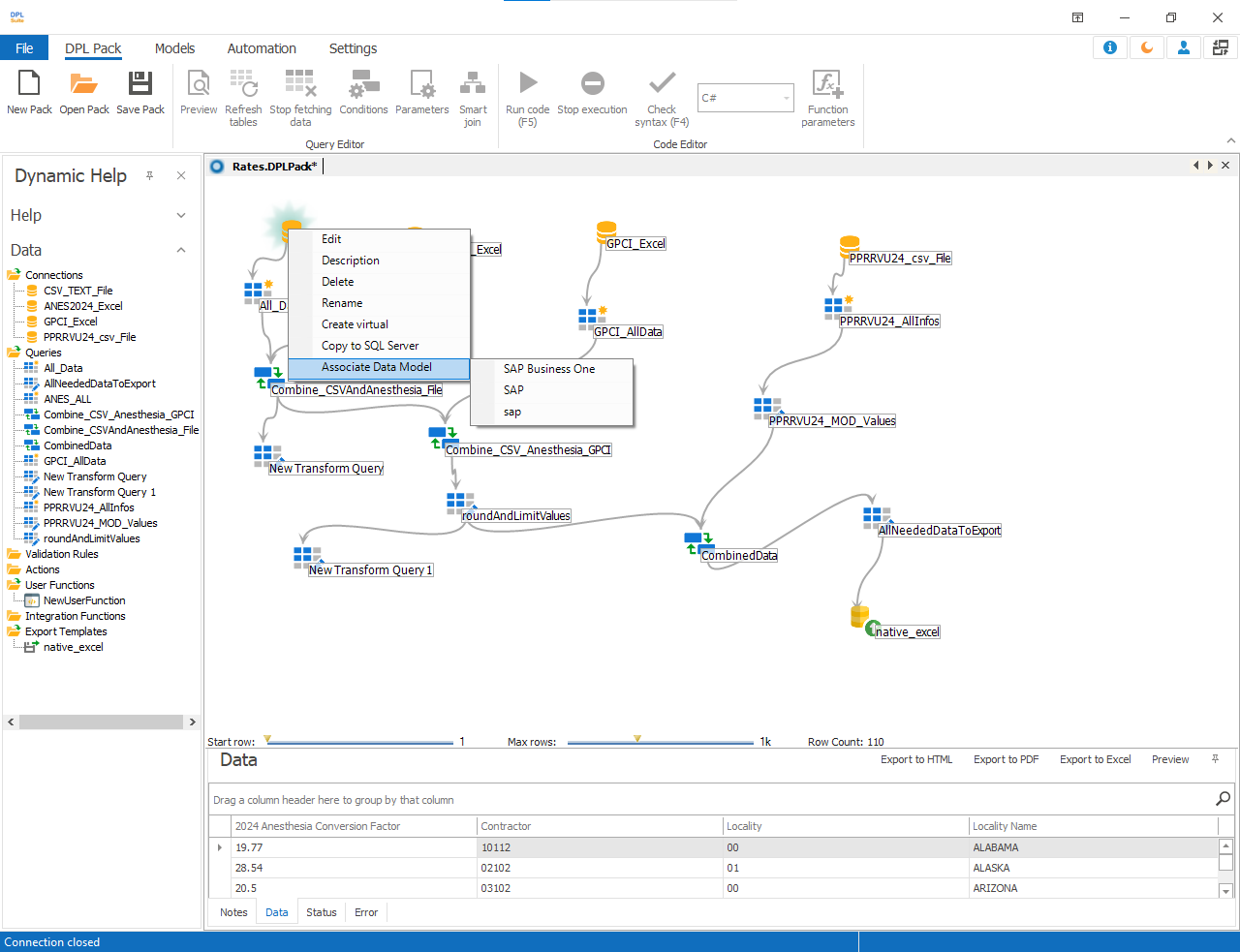
- Right click on the Connection node in the Data flow pane
- Select Associate Data Model from the shortcut menu
- Select the required Application as shown in the dialog
To associate a data model for a repository connection:
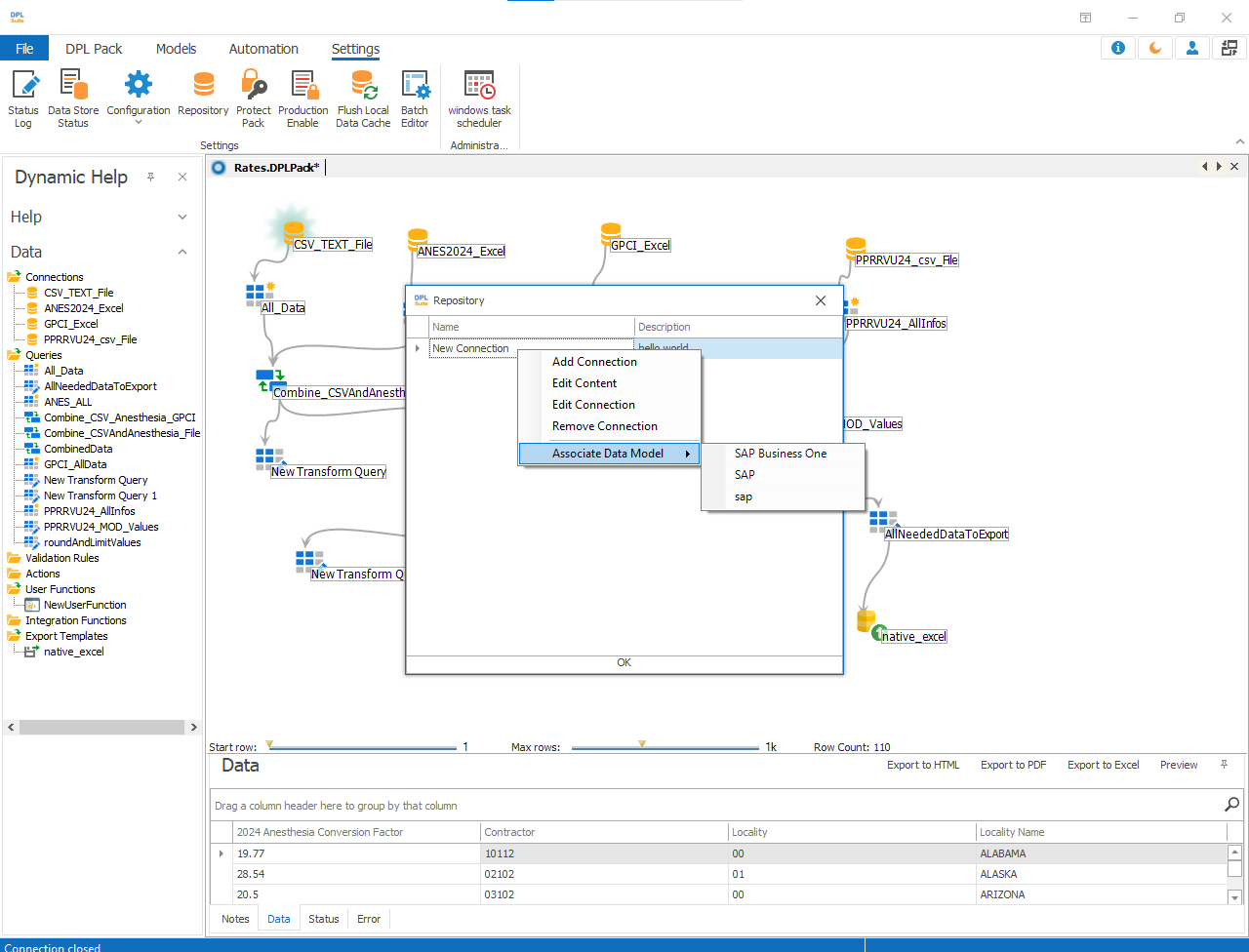
1.Go to Settings → Repository
2.In the Connection Repository window, right-click the required connection
3.Select Associate Data Model.
4.Choose the required Application
5.After associating the data model with the application:
- Create a new standard query
- The Data model tab on the right side of the Standard query window will display all data models associated with that connection for the selected application
6.Drag the required data model into the control pane and click Preview to view its data.