SQL Server Data Store
SQL Server Configuration for permanent cache
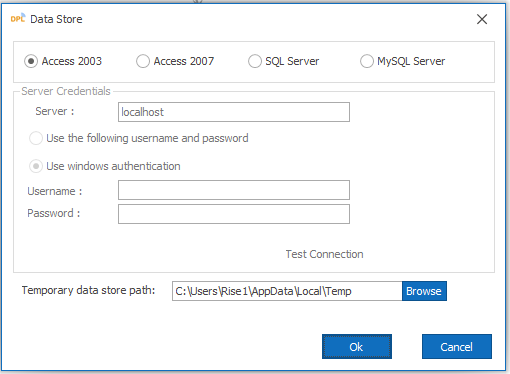
Steps to create permanent cache:
- Click on Settings, select Configuration
- Select Data Store under configuration tab
- Check the checkbox for Use SQL Server
- Give the Server Name
- Give UserName and Password
- Click on Test Connection
Note
SQL Server Configuration for permanent cache supports only SQL Server 2005 or greater.