Text Data Connector
Setting Up Text Export Connectors
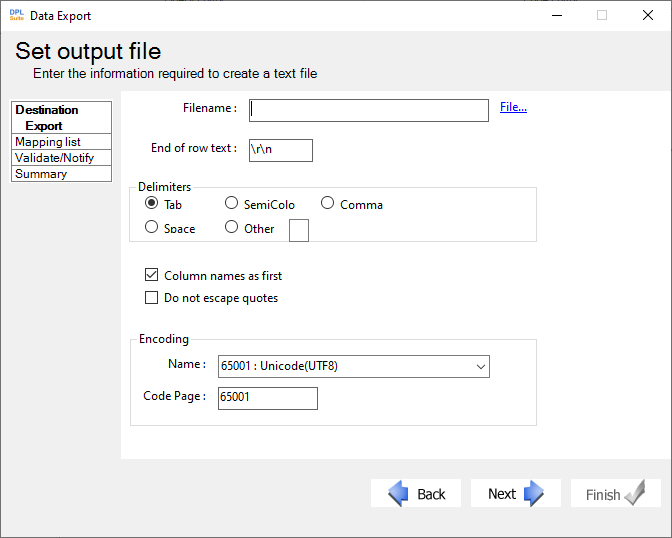
-
In the Define Table Mappings dialog, click Add New Mapping.
-
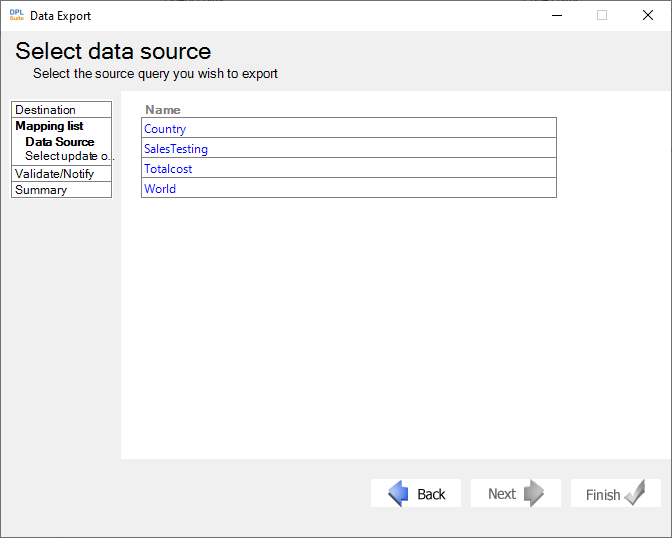
In the Select Data Source dialog:
a. Select the queries containing the data to export.
b. Select the table names containing the required information, -OR-
c. Click Specify to manually enter the table names.
- In the Target Table Information dialog:
a. Enter the required Table Name.
b. Configure the remaining settings as needed.
Additional Settings
Batch Rows Defines the maximum number of rows that should be exported into a single text file.
When Table Is Not Found During Execution
Controls whether:
a. Export execution should stop if the table does not exist, -OR-
b. A new table should be created automatically.
When Table Is Found During Execution
Controls how data should be merged with existing tables.
- Click Next to proceed to the next step in the wizard and configure the table mappings between the source and destination files.
Copyright © 2002-2026 by Rise Inc., All Rights Reserved.